Chatbot for photographers: filter price enquiries before they eat your day
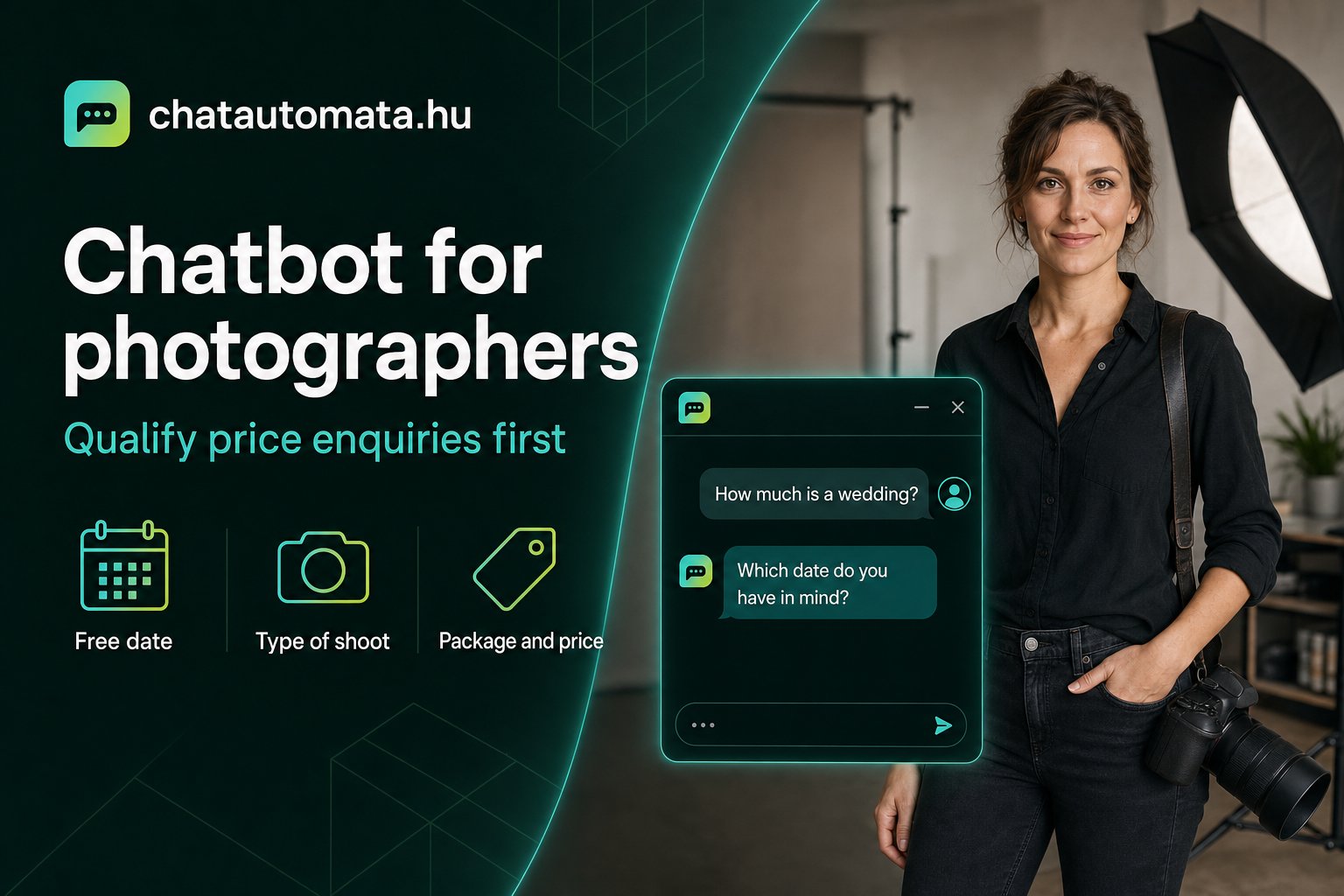
The message arrives at eleven at night: "Hi! How much does a wedding shoot cost?" You reply the next morning, in detail, with prices. Then silence. A week later the same question turns up under a different name.
If you shoot for a living, this is your daily routine. Price enquiries come with the trade — the problem isn't that they exist, but how much time they take and how little they bring back. Most of them never turn into bookings, yet each one costs you the same reply.
This is exactly where a well-configured chatbot helps most. Not by chasing enquirers away, but by making sure that when you do join the conversation, you already know who you're talking to.
Why a plain price list doesn't solve it
The obvious fix seems to be putting your prices on the website and calling it done. Plenty of photographers do — and then find the messages keep coming anyway.
The reason is simple: the price of a shoot isn't a single number. It depends on how many hours the event runs, how many locations there are, whether you need a second shooter, how many images you deliver, and how quickly. The gap between a rural wedding across two venues and a studio portrait is too wide for one price list to cover honestly.
Your enquirer senses this. They see "from 35,000 HUF" and ask precisely what the number doesn't answer: "and in my case?"
What qualifying means — and what it doesn't
Qualifying isn't filtering in the unpleasant sense. It isn't about turning away people with smaller budgets.
It means that by the time you get to the conversation, you know the date, the type of event, the location and the rough scale. Two things follow from that. First, you can quote accurately instead of guessing. Second, you can see immediately whether you're even free — and if you aren't, it's far better to say so in the first minute than after the third exchange of emails.
The enquirer wins too. Someone who knows the work fits their budget books with more confidence. Someone who turns out to be looking for something else finds out in two minutes, rather than waiting three days for a reply.
The three questions that decide everything
In ChatAutomata's setup for photographers, the package-selector sequence does the heavy lifting: after three to five questions, the visitor learns which package suits them. If you only ask three, make them these:
When is it? This matters most, and it's the one people leave until last. If the date is taken, every other question is moot. If it's free, the conversation gets concrete from here.
What kind of occasion? Wedding, portrait, maternity, family, corporate, newborn — the chatbot recognises this from the answer and asks the follow-ups that belong to that branch. There's no point asking about a second shooter for a newborn session.
Where, and for how long? A studio, an outdoor location and a full-day event out of town are three different worlds. This question establishes the scale.
Three questions is what a genuinely interested person will still answer. At ten they drop out — and you lose exactly the people you were trying to win.
How to quote without scaring people off
Many photographers keep prices out of the chatbot for fear the number will frighten people away. Experience suggests the opposite: it's the uncertainty that drives them off.
What works is a range plus context. "The four-hour wedding package starts from 180,000 HUF, and that includes the edited set and the online gallery." That gives a reference point and shows what's included, so the number isn't floating free.
What to avoid is promising an exact total for a job you haven't seen. Let the chatbot give the order of magnitude, and quote the final figure yourself once you've spoken. That isn't evasion — it's the nature of the work, and clients expect it.
When the chatbot hands over
A good chatbot knows when the answer isn't its job. Operator handover exists for this: when a question goes beyond what the knowledge base covers, the conversation moves to you, exactly where it left off.
For photographers that's usually the unusual request — travel between two venues, a custom album, a date that's already half booked. Nobody expects an automated system to handle those.
What matters just as much: ChatAutomata doesn't invent an answer when it doesn't have one. If the knowledge base comes up empty, it asks for an email address and says you'll be in touch. That's far better than a confidently invented price you then have to walk back.
It can carry the conversation all the way to a booking
Qualifying is worth it on its own, but the chain is only complete when the chatbot handles the booking too. With the Google Calendar connection, free slots show up in real time and the guest can pick one inside the conversation.
This isn't theory: in the dobófotó case study, the whole path — from first enquiry to confirmation — runs in about fifty seconds, in a single chat window. No clicking through three pages, no forms, no waiting.
You'll find the details on the page for photographers and in our article on the booking assistant.
Messenger or website — where should you start?
For photographers, most enquiries arrive through Messenger rather than a website form. That makes sense: the visitor is already there, they've just seen your work on your Facebook page, and writing takes two taps. Many never reach the website at all.
If you're starting with a single channel, start where the messages actually come from. ChatAutomata handles the website widget, Messenger and Instagram messages with the same knowledge base — so you don't have to write your answers twice.
One thing worth knowing: Messenger behaves differently from website chat. Conversations live longer there, and a visitor may come back to the same thread days later. That's an advantage, because the earlier context is still present — but it also means half-finished conversations from six months ago are still sitting in your inbox. It's worth going through them occasionally; among them there's often someone who simply forgot to reply.
What not to hand to a chatbot
Honesty serves you better than enthusiasm here. There are things a chatbot can't do for you, and it's better to know that up front.
Selling your style. A couple doesn't choose a price, they choose a person. The chatbot handles the logistics — date, package, location — but what makes them pick you is your work and the personal conversation. The chatbot opens that door; it doesn't replace what's behind it.
Sensitive situations. If someone wants to cancel, has a complaint, or is asking about photographing a funeral, a human needs to be there. Set those up for immediate operator handover rather than trying to automate them.
Bespoke pricing. If you negotiate regularly, or every quote you write is different, don't let the chatbot state a final figure. Ranges yes, totals no — otherwise it promises something in your name that you have to retract later.
And one legal detail many people miss: from 2 August 2026 the EU AI Act requires that visitors can tell, clearly and at the start of the conversation, that they are talking to a machine. In practice that's one line at the top of the chat window. ChatAutomata sets this up by default, but if you build a bot elsewhere, watch out for it — we've written about the details on our AI Act page.
What to learn from the conversations
After a month, it's worth reviewing what visitors ask. Not one by one — the recurring pattern is what matters.
If many people ask the same thing, there are two possible reasons: either it isn't in the knowledge base, or they can't find it on your website. In the first case, add the answer; in the second, think about where the information sits. It often turns out that pricing or travel costs are somewhere nobody scrolls to.
The same goes for drop-off. If half your visitors leave at the same question, that question is the problem — usually it asks for personal details too early, or offers too many options at once.
How to get started
It doesn't have to be a big project. The first version comes together in an afternoon:
- Collect the ten most common questions. Open your Messenger and go through the past month. The list writes itself.
- Write the answers the way you'd say them out loud. The chatbot learns from your own content, so this becomes its voice.
- Set up the three qualifying questions — date, occasion, location.
- Connect your calendar if you want bookings to happen in the chat.
- Review the conversations a week later and fix whatever stalled.
ChatAutomata runs with a Hungarian interface and answers tuned for Hungarian, on Messenger and on your website alike. There's a free plan with no time limit, and the paid plans can be tried for 14 days without a card — Starter is 4,990 HUF/month, Pro is 14,990 HUF/month.
Start with one thing: next time a "how much does it cost?" message arrives, notice how many questions you have to ask before you can actually quote. Those three questions are the foundation of your chatbot.
See it in action, or open a free account and try it with your own price list.